
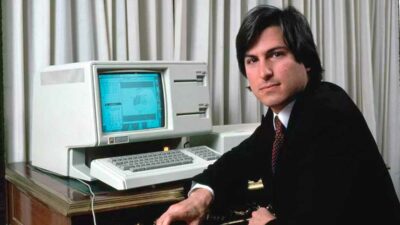
Want a good laugh? This video clip from a local TV cable show has a rare demonstration of(Amazon link) Apple’s 1984 Lisa computer as well as some snazzy 1980s hairstyles. In the video, some guy named Alfred takes the $10,000 Apple Lisa computer for a test drive on live TV. Another funny thing about the video is the TV host. For some reason, she talks like a robot. She’s also wearing a pair of(Amazon link) over-sized 1980s eyeglasses that probably have more glass than an automobile windshield.
Table of Contents[Hide][Show]
Warning: There is a very long 5-minute introduction before the Lisa demo. Alfred, the guy giving the demonstration in the video, is now a YouTube director and loves to suck up to his subscribers. He also apologizes for his 1984 haircut, suit and a recent nose surgery. But once the actual demonstration clip starts to play, you will probably enjoy it.
Slow Operating System
If you pay close attention, you will see the cursor switch to the hourglass quite a lot. Every time Alfred opens a window or document, he has to wait several moments for the Lisa to catch up. Back then, computers weren’t as fast as they are today. Good thing Alfred is such a good talker and can fill the time blabbing with the robotic female host.
A Very Expensive Word Processor
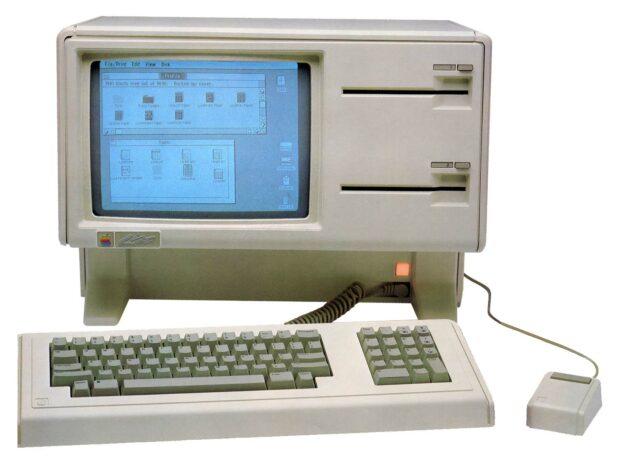
Back in 1984, the Apple Lisa sold for $10,000. Very expensive for a clunky word processor. But at the time, the Lisa was state-of-the-art technology. In case you are wondering what that would cost today, here are some inflation calculations:
- 1984: $10,000
- 1995: $14,749
- 2005: $18,714
- 2015: $22,934
- 2022: $29,127
Apple Lisa Demo Highlights
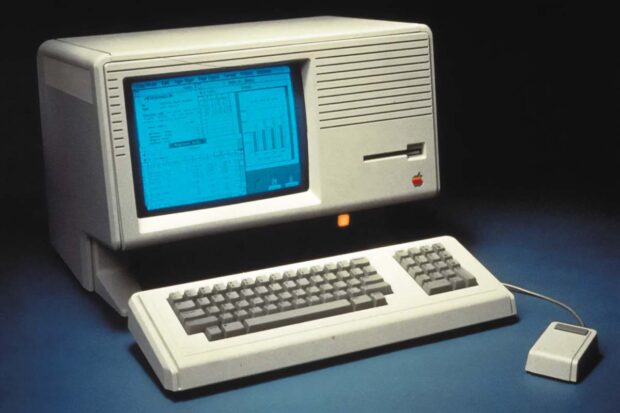
Highlights of this Apple Lisa demo include such state-of-the-art innovations as the floppy disk, digital clock, calculator, graphical user interface, icons, pull-down menus, and a rodent input device called a ‘mouse’.
BTW – If you want to copy this video off of YouTube and save it on your hard drive, then check out this tutorial: Copy Videos Off YouTube.
Photos of Ashton Kutcher Dressed Up As Steve Jobs For New jOBS Film
Move over Noah Wyle. Photos from the set of jOBS, the upcoming Steve Jobs biopic, have skeptical Apple Fanboys singing the praises of Ashton Kutcher.
Apple’s Top 2 iPhone 5 Marketing Challenges
It can’t be easy following in Steve Jobs‘ footsteps. Next month marks both the one year anniversary of Steve Jobs’ passing and Tim Cook‘s time as CEO of Apple… without being under Steve’s wing. Although Tim Cook has certainly done an amazing job as CEO (the stock has basically doubled this year), the few times that …
What to Expect from Apple’s WWDC 2012 Without Steve Jobs
Apple’s Worldwide Developers Conference (WWDC), the annual gathering where the secretive company hosts folks who make a living writing software for its products, kicks off later this month. And while the event is designed around presentations to help developers, its keynote address has also become an opportunity for Apple to roll out new products… not …
Rumor: iPad 3 And 7-Inch iPad Mini Being Announced (2012)
By now you’ve probably heard all the rumors about the iPad 3 coming out in a couple of weeks. According to top sources like John Paczkowski at All Things D, Apple picked “the first week in March to debut the successor to the iPad 2.” Is Apple Releasing An iPad Mini? But the new news …

Bill Gates Gets A BSOD Error During His 2005 CES Keynote Speech
When Bill Gates’ 2005 CES keynote demonstration of the new Windows Media Center ended with a Blue Screen of Death, the audience and the press were nothing short of “amused.”

POLL: Who or what will you miss the most from 2011?
That’s it boys and girls. 2011 is just hours away from becoming history. A lot happened this year. We saw much of the power structure in the Middle East be reorganized thanks in part to Social Media, the video game, Call of Duty, became the highest grossing entertainment property of all time (sorry Harry Potter, Avatar and Star Wars) and we of course unfortunately lost a lot of iconic figures including Steve Jobs, Peter Falk, Betty Ford, Amy Winehouse and Heavy D to name a few.

Siri Finds Out That Steve Jobs Has Passed Away
Well, someone had to tell Siri that Steve Jobs had died. This unfunny YouTube video shows three people telling Siri about the passing of Jobs.
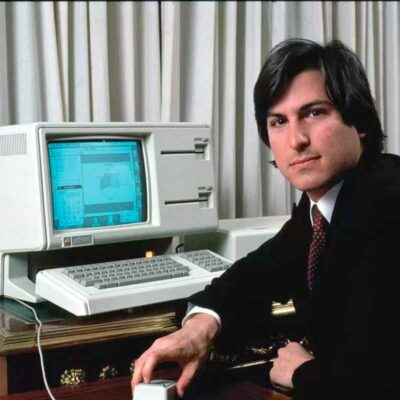
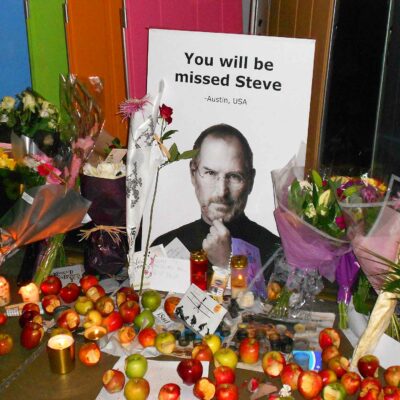
iRemember Steve Jobs: Apple Fans Mourn Loss Of Their Iconic Tech CEO
Sad Apple fans gathered at the flagship Apple Store in New York City to mourn the loss of Apple CEO, Steve Jobs.
5 Things to Focus On Now That Steve Jobs Is Gone
Let’s take a look at 5 things Steve Jobs visions improved upon and how we can take that Proverbial ball and run with it.
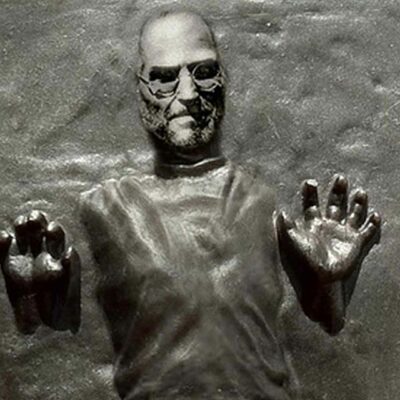
Apple Lawyers Kill iPhone Case of Steve Jobs in Carbonite
An iPhone case of Steve Jobs encased in carbonite, like Han Solo from Star Wars, was an incredible idea. Sadly, it was taken off the shelves by Apple.
Rumor: iPhone 5 Announcement Coming In September (2011)
The iPhone 5 will most likely just be a speed, camera, and storage upgrade with some software enhancements. What do you think?

Frank Wilson is a retired teacher with over 30 years of combined experience in the education, small business technology, and real estate business. He now blogs as a hobby and spends most days tinkering with old computers. Wilson is passionate about tech, enjoys fishing, and loves drinking beer.












Leave a Reply