

Snowfall is a beautiful 3D snowflake screensaver. If you’ve been inside an Apple Store during the winter holidays, then you’ve probably seen Snowfall in action in their window displays. Snowfall is free and easy to install. This tutorial will walk you through the process and take less than 5 minutes.
Table of Contents[Hide][Show]
01) Download Snowfall
The Snowfall screensaver was designed by Russell Warenboldt using the OS X Quartz Composer. You can download it from his website here: Snowfall (Mac PPC, Mac Intel). Snowfall is free, but it requires Macintosh OS X Tiger or higher.
02) Install the Snowfall Screensaver
After you download Snowfall, open the disk image and you will see a qtz file. To install Snowfall, just copy “Snowfall.qtz” into your Screen Savers folder ~/Library/Screen Savers/.

03) Accessing Snowfall
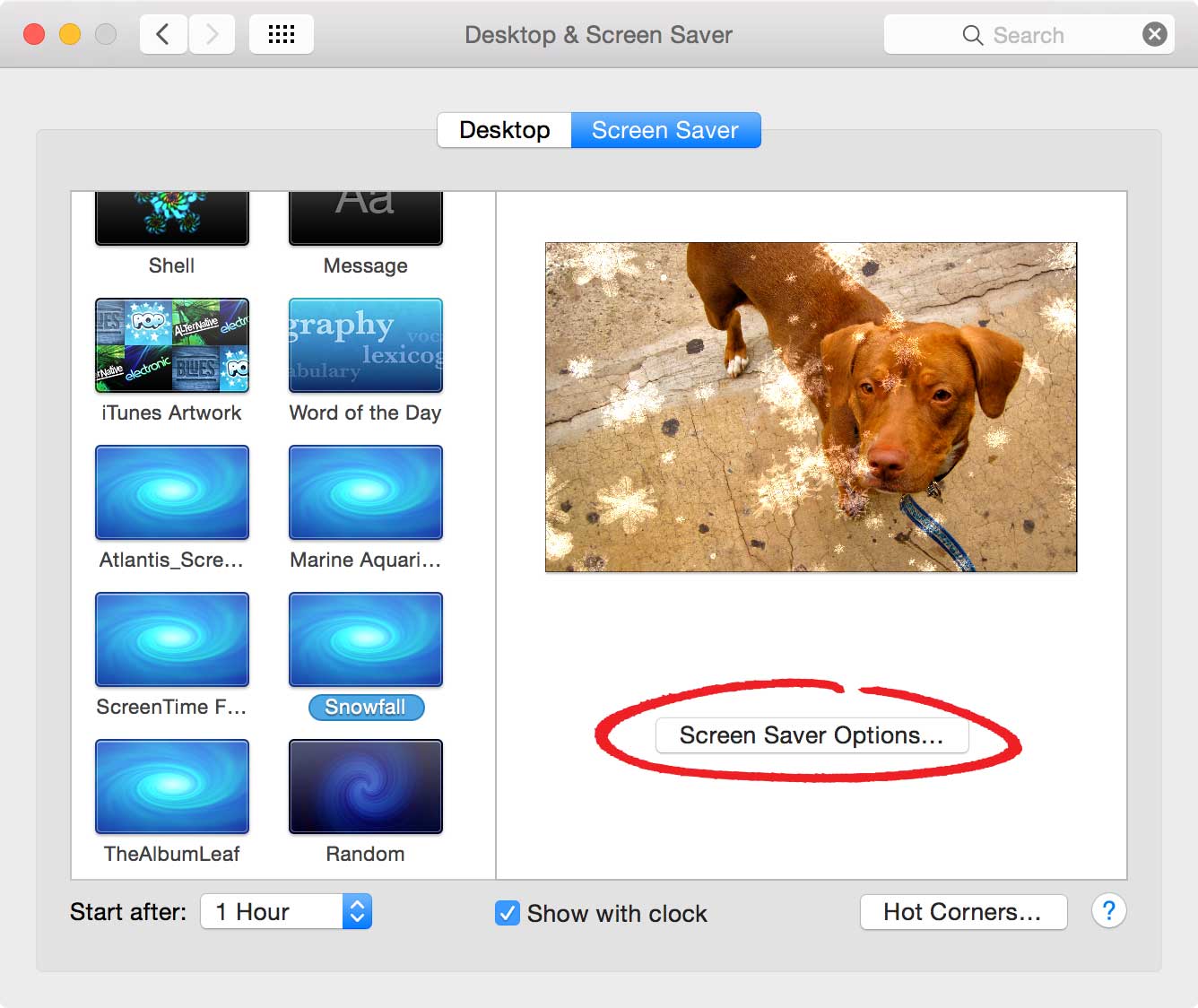
To access Snowfall’s settings, just open the System Preferences panel and select the Screen Saver tab. Then click on Snowfall’s “Screen Saver Option” button.
- Apple Menu > System Preferences > Desktop & Screen Saver > Screen Saver
04) Snowfall Settings
Snowfall has a variety of options you can customize. You can pick a solid background color and turn on the stripes to make your screen look like wrapping paper. Or pick one of your favorite photos and adjust the speed and amount of snow displayed on your screen.
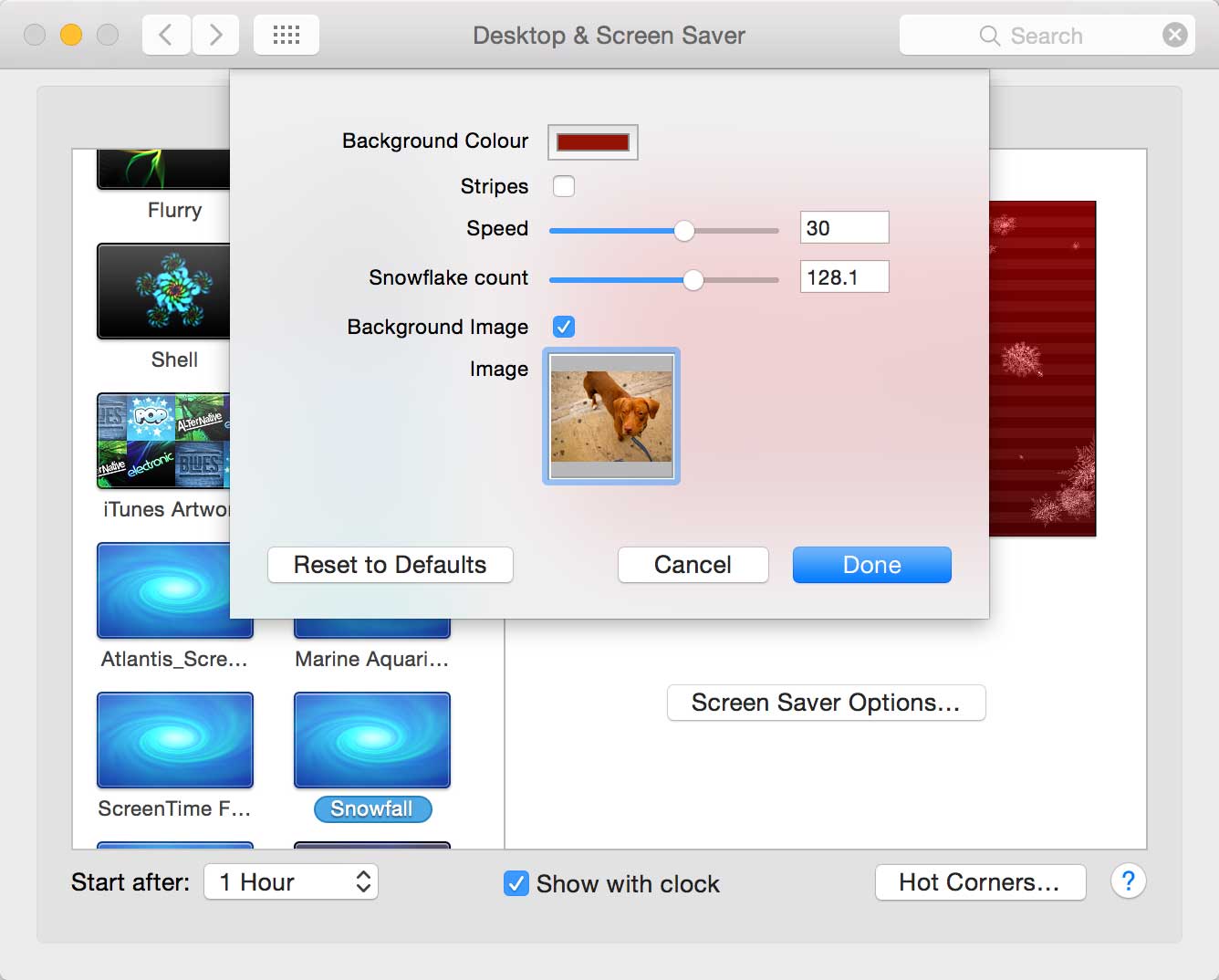 Here’s a screenshot of Snowfall with a picture of my dog, Brandy, in the background.
05) That’s It
 Snowfall is a beautiful screensaver. These pictures really don’t do it justice. You’ll just have to install Snowfall and see it for yourself.
Don’t like Snowfall? Here’s another winter screen saver called SnowSaver (Mac PPC). Both Snowfall and SnowSaver are Macintosh only. PC users should check out a screen saver called Let It Snow (PC).
Happy screensaving!

Frank Wilson is a retired teacher with over 30 years of combined experience in the education, small business technology, and real estate business. He now blogs as a hobby and spends most days tinkering with old computers. Wilson is passionate about tech, enjoys fishing, and loves drinking beer.













such a beautiful screensaver. very easy to follow tutorial. thank you!!