

Has a virus or hard drive crash wiped out your entire music and video collection? What a massive loss… imported CD’s, ripped DVD’s, downloaded files from the Internet and most importantly, all that money you’ve spent in the iTunes Store! Is it all really gone? Maybe not. Your music and movie files are still on your iPod, iPad or iPhone, right? Let’s get it all back. Here’s an iPhone, iPad and iPod download tutorial on how to copy your files from your Apple device back to your computer.
Requirements:
- Any iPod, iPad or iPhone
- A computer with iTunes installed and enough hard drive space to recover all the media from your iPod/iPhone
NERD NOTE: The name iPod was proposed by Vinnie Chieco, a freelance copywriter, who (with others) was called by Apple to figure out how to introduce the new digital audio player to the public. After Chieco saw a prototype, he thought of the movie 2001: A Space Odyssey and thought of the phrase “Open the pod bay door, Hal!”, which refers to the white EVA Pods of the Discovery One spaceship.
Helper Apps: iPhone, iPad and iPod Download
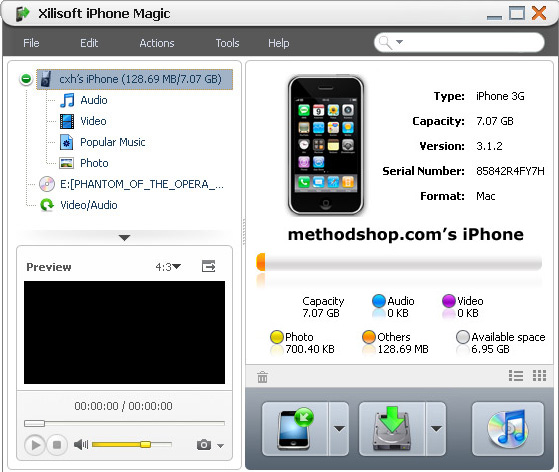
iTunes won’t let you download your music off your iPod. But there are other non-Apple applications that will let you easily “rip” music off your iPod, iPad or iPhone.
If you are the type of person who likes to buy software in a box with a manual, then a couple of good programs to try are Pod Rescue, Tune Transfer or iDevice Magic. But who wants to wait for shipping? If you need an instant download solution, then try one of Xilisoft’s Magic apps. They are all great programs, cost under $20 and can be downloaded and installed on your computer in a matter of moments.
Xilisoft Magic for iPod, iPhone & iPad
The Cheaper Way (But It Ain’t Easy): iPad, iPhone and iPod Download Music & Movies
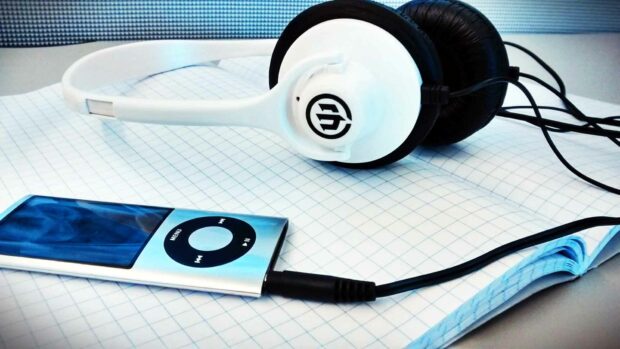
Want a free solution? No problem. However please keep in mind that the “cheap way” is also the “hard way.” The following procedures won’t be very easy for the average user. If you aren’t super savvy with computers, then please try option #1.
There are 2 free ways to rip media off your iPod, iPad or iPhone:
- with a free helper application
- using advanced search techniques
Free “Ripping” iPhone, iPad & iPod Download Options
With a Helper Application: Depending on what app you use, the exact steps below will vary. In general, the “ripping” procedure for copying files off your iPod or iPhone will go like this:
- Download a free or trial version of a “ripping” program (see the section above) and install it on your computer. There are many free or shareware applications for both Mac and PC that will copy content off your iPod, iPad or iPhone.
- Make a new folder somewhere on your computer that will have enough hard drive space to hold all the music and video files from your iPod, iPad or iPhone.
- Using the ripping application, copy the media off of your iPod, iPad or iPhone and put it all into that folder.
- It’s a good idea to archive your media at this point. Burn all your music and movies onto CDs, DVD-ROMs, or copy them onto an external USB hard drive.
- Drag that folder into the main iTunes window. Your files will then import into iTunes. This will take several minutes depending on the amount of media you are restoring and your computer’s processing power.
Without a Helper Application: Here’s a way to quickly get files off a PC iPod without any extra software.
- Plug your iPod or iPhone into your computer.
- From the Desktop, go to My Computer and find the iPod (usually designated by a drive letter like E: or F:)
- Open the damn thing.
- Go to Tools > Folder Options > View (the tab) > scroll to Show Hidden Files and Folders and click it.
- Click OK.
- Go back to your iPod folder/drive, there you will find a new folder called iPod_Control
- Open it.
- The Music folder in it will have a bunch of folders named F00, F01 and so on. THEY HAVE YOUR MP3s AND VIDEOS. Look through the folders to find your stuff.
- You can also use the Search utility in Windows and search for a particular audio file on your iPod. Just make sure you specify to search in Hidden Files or Folders. There, a solution that requires no extra software, just a few extra brain cells.
Why Apple prevents you from easily copying files off your iPod, iPad or iPhone
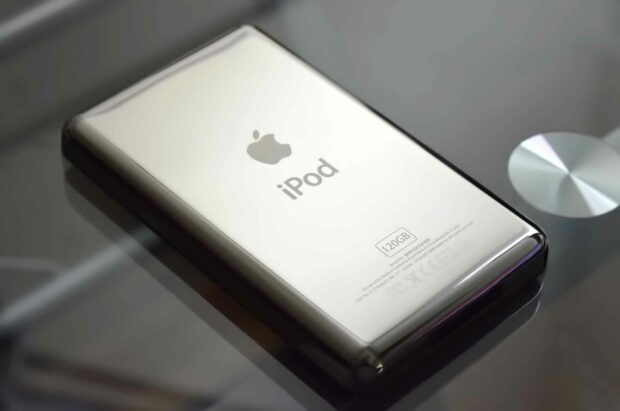
Copying files off your iPod, iPad or iPhone can be used for good or evil. Of course, ripping media off your iPod is an excellent last resort when you’ve lost it from your computer. However, being able to copy files off your iPod/iPhone also makes it very easy to steal thousands of songs and videos in a matter of minutes. With ultra-fast USB 2.0 speeds, stealing an entire iTunes library could take as little as 5 minutes. Worse yet, someone could easily share all of these media files on the Internet using BitTorrent.
To help appease the music and movie industries, Apple disabled the ability to easily copy media off your iPod, iPad or iPhone.
NERD NOTE: Macs can read both Mac and PC disks (including iPods). So both Mac and PC iPods can be used on Mac computers.
Related Articles:
- YouTube To MP3: How To Rip Audio From YouTube Videos
- An Open Letter to the Music Industry RE: Lossless Audio
- How To Erase Your iPhone, iPad, Or iPod Touch Before Selling It
- A Look Back at The First Generation iPod

Frank Wilson is a retired teacher with over 30 years of combined experience in the education, small business technology, and real estate business. He now blogs as a hobby and spends most days tinkering with old computers. Wilson is passionate about tech, enjoys fishing, and loves drinking beer.












 Where to find free MP3s for your iPod

Leave a Reply