

Having iTunes authorization problems? Files downloaded from the iTunes Store can only be authorized to play on up to 5 computers at a time. If you try to go over 5 computers, then you’ll get an authorize/deauthorize iTunes error.
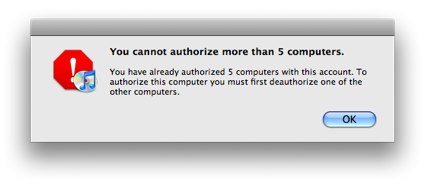
For most people, 5 computer limit is plenty. One computer at home, one at work, a friend’s computer, your laptop, your car (wait… did Xzibit Pimp Your Ride and put a computer in your car?).
Where you really start to run into authorization problems is when you get a new computer. Before you sell or get rid of an old computer, you should always “deauthorize” it first in iTunes. You should even consider deauthorizing your computer before sending it away for repair or upgrade – in case it doesn’t come back in one piece. Deauthorizing your computer does not erase your music files; it simply prevents your purchased music from playing until you authorize that computer again with your iTunes password.
This tutorial will walk you through how to deauthorize iTunes and then reauthorize your devices again.
Requirements:
- An iTunes Account
- Multiple Authorized Computers
NERD NOTE: SoundJam MP was the basis for iTunes when Apple purchased it in 2000. SoundJam MP was developed by Jeff Robbin and Bill Kincaid and released in 1999 by Casady & Greene, the same software publisher as Glider PRO. Apple added a new user interface and the ability to burn CDs to SoundJam MP. They also removed SoundJam MP’s recording feature and skin support. The new version of the application was released as iTunes 1.0 on January 9, 2001.
How to Deauthorize A Computer On iTunes
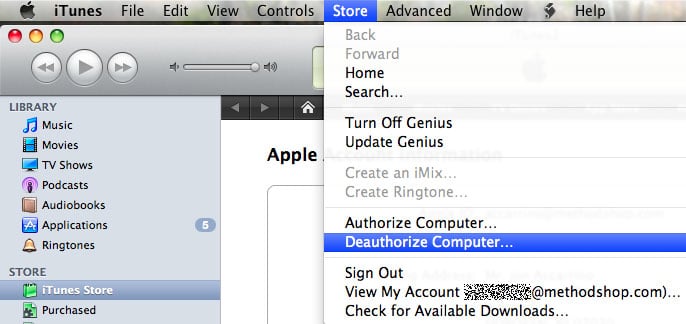
Deauthorizing a single computer is easy. Just open the iTunes application on your Mac or Windows PC and choose Deauthorize Computer from the Store menu (Store > Deauthorize Computer). This computer will no longer be attached to your account.
How To Deauthorize Audible Account on iTunes
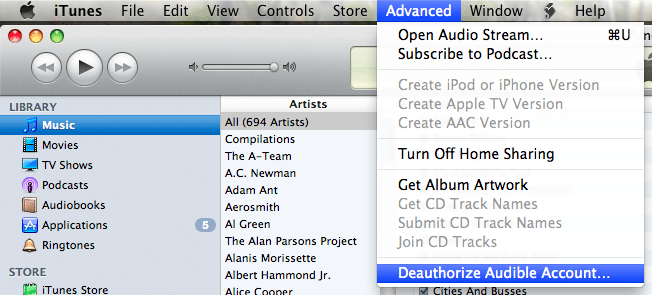
To deauthorize an Audible account in iTunes, select Deauthorize from the Advanced menu (Advanced > Deauthorize Audible Account).
How to Deauthorize iTunes Remotely on Computers You No Longer Have Access To
But what happens when it’s too late. Let’s say your IT department at work took your old computer away before you had time to deauthorize it first. Or maybe you regrettably authorized your ex-spouse’s or former friend’s computer. The last thing you want to do is call them, let along ask them to deauthorize their computer right? So what should you do?
If you no longer have physical access to one of your authorized iTunes computers, then you will need to deauthorize all computers connected to your iTunes account. You can do this by resetting your list of authorized iTunes computers currently listed in Apple’s database.
How to Deauthorize iTunes On A Computer I Don’t Have Any More
01) Click on this link and enter your Apple ID and password:
https://appleid.apple.com/account/manage
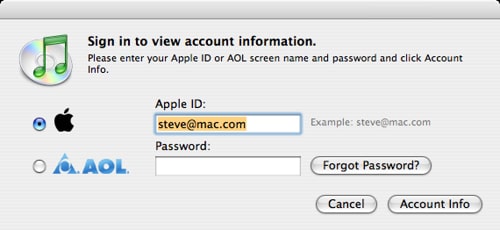
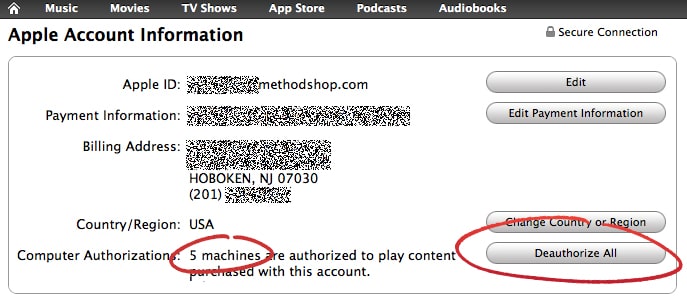
02) You should now see your Apple Account Information screen. If you have already used up all 5 of your authorized iTunes computers, then you will see a button labeled “Deauthorize All.” Click on the “Deauthorize All” button. However, if you have less than 5 authorized computers, then you won’t see this button. If you are wondering how do I find out which computers are authorized on my iTunes account or how do i see a list of authorized computers on my iTunes account? Just look at your account info in this section.
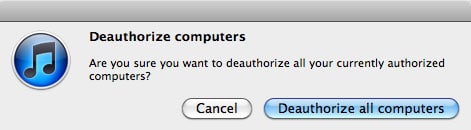
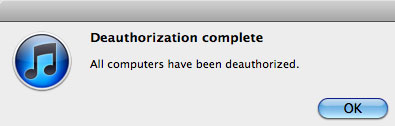
03) Apple will now ask you to verify this decision. Continuing this process will deauthorize all computers associated with your iTunes account. As long as you know your iTunes login and password, reauthorizing computers is a very easy process and is explained in the next section below.
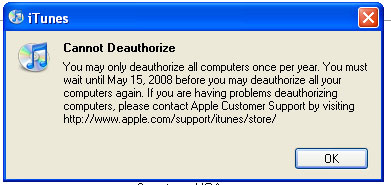
Note: You can only deauthorize iTunes once a year.
Reauthorizing: How To Authorize A Computer On iTunes
Don’t worry, after you deauthorize iTunes, reauthorizing computers is as simple as typing in your iTunes login and password. But remember, you can only reauthorize up to 5 computers. Try to keep your password secret this time or don’t freely authorize every computer you meet.
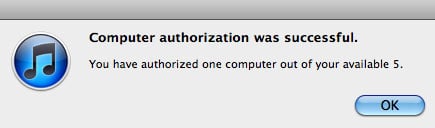
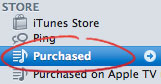
To force iTunes to prompt you to authorize a computer, you should try to play a song or video you previously purchased from the iTunes Store. You can find the content you purchased from the iTunes Store in the “Purchased” playlist in the left side column of your iTunes window.

Frank Wilson is a retired teacher with over 30 years of combined experience in the education, small business technology, and real estate business. He now blogs as a hobby and spends most days tinkering with old computers. Wilson is passionate about tech, enjoys fishing, and loves drinking beer.











 The 10 Best Cities For Working Mothers In The United States

Leave a Reply