

Occasionally an iPod, iPad or iPhone may freeze or fail to respond to your commands. This can happen for a number of reasons and does not necessarily indicate a serious problem. Sometimes they just need a restart much like the way your computer needs a reset once in awhile.
This simple tutorial will show you how to restart, reboot or reset your Apple iPod, iPad , iPad or iPhone.
NOTE: Restarting an iPod, iPad or iPhone is a simple procedure that will not erase any of your music, data files, or customized preferences.
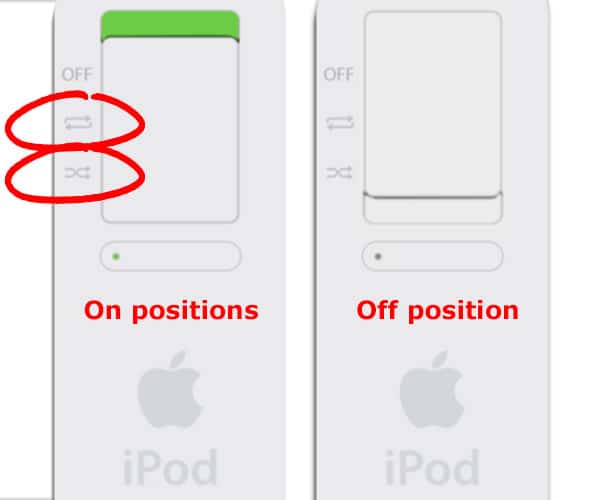
01) Is Your Hold Switch On?
Check that your hold or silent switch is set to the off position. The switch is located in the top corner of the iPod, iPad and iPhone. If you see orange, then the device is locked. To unlock the device, slide the switch
in the opposite position.

02) Button Combinations
Press and hold the following combination of buttons simultaneously for approximately 10 seconds.
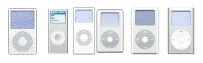
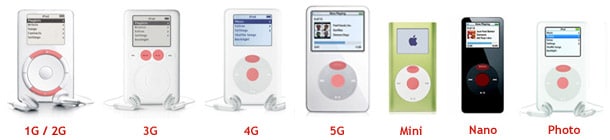
- iPod 1G, 2G and 3G
This includes all scroll, click wheel & touch wheel iPods): “Menu” and “Play/Pause”

- iPod 4G+
This includes Photo, Nano, Video, and Mini): “Menu” and “Center (Select) Button” and simultaneously hold until the Apple logo appears. You may need to repeat this step. The Select button is the center button in the middle of the wheel.


- iPad, iPad Mini, iPhone & iPod Touch
This button combination is obvious. There are only two buttons: “Home” and “Sleep Button”
- Shuffle: Turn it off. Turn it on. Clap your hands. Done.


If you are having problems and still can’t get your iPod to restart, try placing it on a table or flat surface. Make sure that the finger you are using to press the Select button is not touching any other part of the click wheel. Also make sure that you are pressing the Menu button toward the outside of the click wheel, and not near the center.
03) The Restart Screen
The Apple logo will briefly appear upon a successful restart before advancing to the main home screen. You can now let go of the buttons on your iPod, iPhone or iPad. If your battery is very low, you may have to attach your device to a power
source before it will restart.
04) Remounting in iTunes
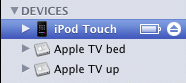 If you have your iPod, iPad or iPhone connected to your computer and the iTunes application open, then your device should mount and show up under “Devices” in the left iTunes sidebar (see image to the right). If your iPod, iPad or iPhone doesn’t mount, then please read this page: My iPod/iPhone Won’t Mount or Update.
05) That’s It. You did it!!!!
You have successfully restarted your frozen or unresponsive iPod, iPad or iPhone. Pat yourself on the back and please drop a dollar into our beer fund. If you’re still having trouble, you can try erasing your iPad, iPhone or iPad.

Frank Wilson is a retired teacher with over 30 years of combined experience in the education, small business technology, and real estate business. He now blogs as a hobby and spends most days tinkering with old computers. Wilson is passionate about tech, enjoys fishing, and loves drinking beer.














 Xbox Announcement: Microsoft Announces New Gaming Console (2001)

Use RecoveryTool Fix Recovery also can solve the problem. It’s so convenient.
https://uploads.disquscdn.com/images/4adfe84858662fa5ed2ef28bd09ed7b5032f23b56bd72daf0d02c70d67a71348.png
:0