

In 1992, the game company, Interplay Entertainment, released the Star Trek 25th Anniversary Game. Originally sold as both an interactive CD-ROM and on floppy disks, the game is a point-and-click adventure game based on the original Star Trek television series.
Table of Contents[Hide][Show]
- Why The Star Trek 25th Anniversary Game Was So Popular
- How To Play The Star Trek 25th Anniversary Game Today
- Retrogaming On Old Computers
- United Federation Of Planets Map
- Installing The Star Trek 25th Anniversary Game Game On Newer Computers
- How To Win Every Space Battle In The Star Trek 25th Anniversary Game
- The Bridge Of The USS Enterprise
- Star Trek Game Cast
It features a series of episodic levels where the player takes on the role of Captain James T. Kirk and his crew, solving puzzles and completing objectives to progress through the story. Each level is set in a different location, with its own unique challenges and obstacles to overcome.
Grab your phaser and get ready to explore the final frontier! Here’s a Star Trek 25th Anniversary Game walkthrough and how to play this classic game today.
Why The Star Trek 25th Anniversary Game Was So Popular
The Star Trek 25th Anniversary Game was released decades ago. So why are we still talking about it? Because it was great!
The Star Trek 25th Anniversary Game stayed true to the 1960s Star Trek TV series and each mission was styled as an imagined fourth season of the show (the series was cancelled after three seasons). And most importantly, the adventure game featured both the characters and voices from the original actors. You play as Kirk and Spock as they fight off hostile aliens and solve a wide variety of puzzles.
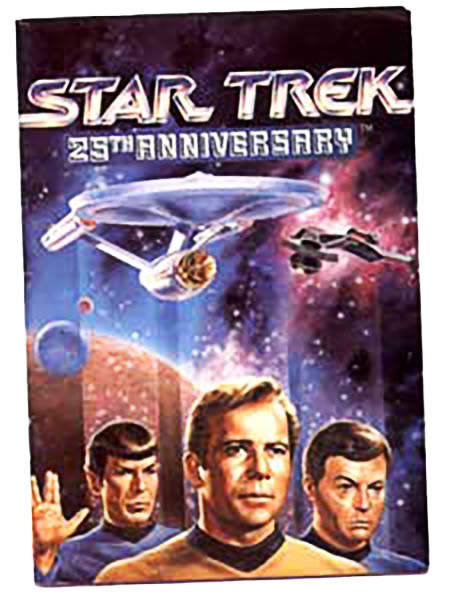
Beam aboard the USS Enterprise to join Captain Kirk and his intrepid crew in this classic adventure game. Seven original missions, each styled as episodes of an imagined fourth season of Star Trek: the Original Series, featuring the voice talents of the original actors!
How To Play The Star Trek 25th Anniversary Game Today
If you want to play the Start Trek 25th Anniversary Game today, then you have a few options:
- Steam: This is easiest option. Just go to the Star Trek 25th Anniversary Game page on Steam.com and pay $10 to access the PC version of the game. Sorry, a Mac option is not currently available on Steam.
- Software Emulators: This more complicated, but doable for both Mac and PC. It requires using an emulator application and getting access to the old games files. You can find game ROMs online if you search hard enough. Leave a comment below if you need help.
- Old Computers: This is my preferred option. If you have access to an old computer from the early 1990s (see below), then dust it off and use it as a retro gaming machine. You can find old PC and Mac versions of the Star Trek 25th Anniversary Game on(Amazon link) Amazon (~$15+) or on (eBay link) (eBay link) (eBay link) (eBay link)(eBay link) eBay ($20+).
- Classic Gaming Systems: In addition to Mac and PC, versions of the Star Trek 25th Anniversary Game were released on several other gaming system including GameBoy and the Nintendo NES. If you have a working retro console, then you can buy game cartridges for the Star Trek 25th Anniversary Game on(Amazon link) Amazon (~$40+) or on (eBay link) (eBay link) (eBay link) (eBay link)(eBay link) eBay ($60+).
Retrogaming On Old Computers
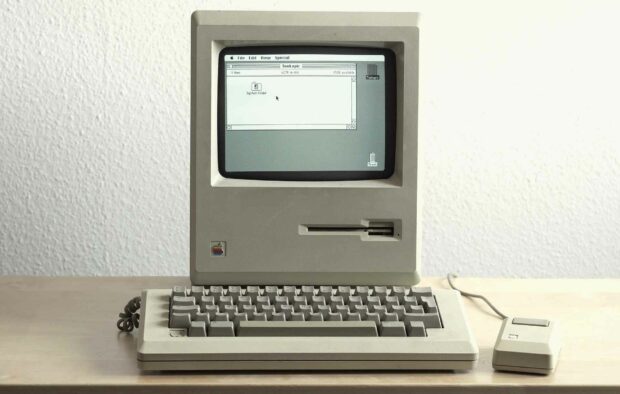
I got lucky. A few years ago I found an old color Macintosh PowerBook Duo 270c by the freight elevator at work. Someone just threw it out. You obviously can’t do graphics or video editing on it. Hell, just getting it on the Internet would take weeks of tinkering. But guess what, it works great for playing old Macintosh games. I don’t know why. I just love playing old Mac games. Maybe it brings me back to my childhood or something. I still even have all my old game disks and manuals.
What about you? If you have an old Mac running System 7, or a PC with Windows XP or Windows Vista, and want to play the 1993 Star Trek 25th Anniversary game on it, then you are on the right web page (all 3 of you). Keep reading…
United Federation Of Planets Map
You will need this United Federation Of Planets map to play the Star Trek 25th Anniversary Game. In the game, you fly from star system to star system frequently. However, if you fly to the wrong place, you’ll probably get into a firefight with Space Pirates or Romulans. So, you really can’t play the Star Trek 25th Anniversary game without the map.
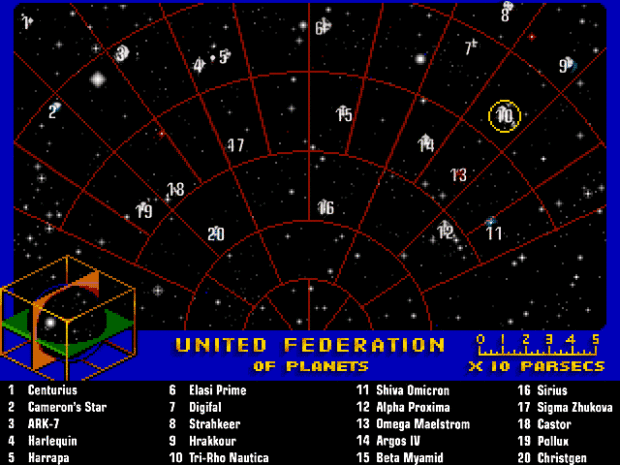
This image below is a composite image of the map in the manual, and a screen shot from the game. Make a color printout if you have a printer.
NERD NOTE: The original Star Trek series, which aired on NBC-TV from September 8, 1966, through June 3, 1969) follows the adventures of the starship Enterprise and its crew, led by Captain James T. Kirk (William Shatner), first officer Mr. Spock (Leonard Nimoy), and chief medical officer Leonard McCoy (DeForest Kelley). Shatner’s voice-over introduction during each episode’s opening credits stated the starship’s purpose: “Space: the final frontier. These are the voyages of the starship Enterprise. Its five-year mission: to explore strange new worlds, to seek out new life and new civilizations, to boldly go where no man has gone before.”
Installing The Star Trek 25th Anniversary Game Game On Newer Computers
The Star Trek 25th Anniversary Game either came on 5 floppy disks of a CD-ROM. Back in 1993 when I first got the Mac version of this game, I played it on my Macintosh II with System 6. But as long as you have a PPC Mac capable of running the Classic Environment (aka Mac OS 9), or a PC with the DOSBox emulator, it should work.
MAC: I tried running the installer off the floppies using a Macintosh PowerBook from 2007 running Mac OS X but it didn’t work. So I copied all the installer files off each floppy into a new folder on my Desktop and restarted my computer in OS 9. I then ran the installer and it worked fine. The games doesn’t require high system resources at all and works great with Mac OS 9.2.2 or with Mac OS X 10.2 running Classic. Its only requirement is to change the colors to 256. I recommend making your screen resolution as close to 640 x 480 as possible. And once you install the game (if you have to), you can just burn the whole folder onto a CD as an archive so you don’t have to do the install process ever again.
PC: You can download a PC version of the game for free here. Post a note in the comments if the link doesn’t work. We have an archive. To play the game on your modern Windows PC, you’ll need the open source DOSBox emulator as well.
How To Win Every Space Battle In The Star Trek 25th Anniversary Game
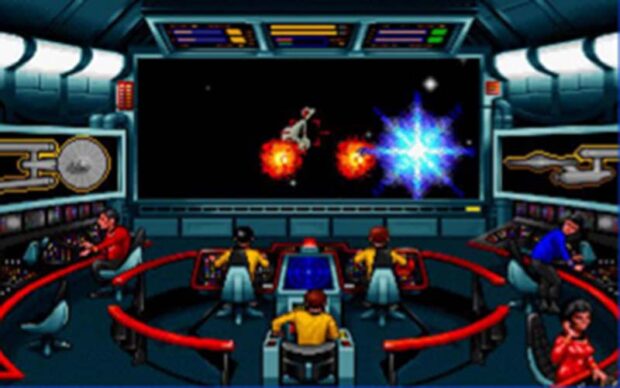
One of the hardest parts of the Star Trek 25th Anniversary Game is winning the many space battles that you will be forced into. Even if you are really good at solving the puzzles in the game, if you can’t win the space battles, then you won’t be able to make much progress.
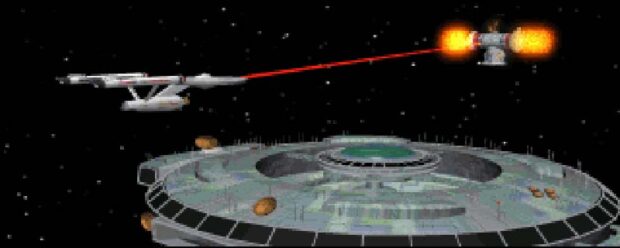
Here are some strategy tips to help you win those very important space battles.
- WHen a battle begins, immediately raise shields (s) and arm weapons (w).
- Then go into full impulse (9) and activate full screen view (v).
- Now zigzag around until you see the other ships. As soon as you see one, slow down (1) and fire both phasers (mouse click) and torpedoes (space).
- Keep doing this until you win. It gets trickier with more than one ship, but practice makes perfect.
Cool Star Trek Game Hack: Avoid Enemy Fire by pressing ~ during combat. You will fly in reverse and your opponents will not be able to lock onto your vessel.
The Bridge Of The USS Enterprise
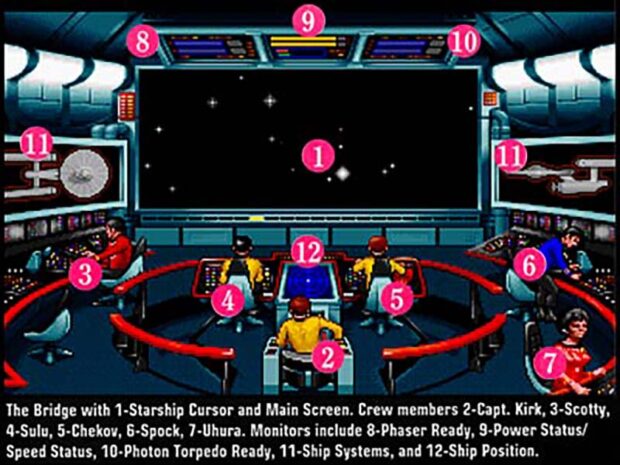
The bridge is where it all happens. It’s the heart of the USS Enterprise and the primary command and control center of the starship. It is where the ship’s captain and senior officers make decisions and give orders to operate the vessel. Here’s a map of the bridge and where to go when you need something done quickly in the Star Trek 25th Anniversary Game.
01. Main Screen
02. Capt Kirk – mission log, teleporters, save
03. Scotty – engineering repairs, reserve power
04. Sulu – shields, orbit
05. Chekov – warp speed, arming weapons
06. Spock – advice, computer, target analysis
07. Uhura – communications
08. Phaser Ready
09. Power Status
10. Photon Torpedo Ready
11. Ship Systems
12. Ship Position
Star Trek 25th Anniversary Walkthrough – Mission Glossary, Hints, And More!
This Star Trek 25th Anniversary Game walkthrough can help you get past tough parts and will help and make the game more enjoyable and fun to play.
After each mission you are given a score up to 100%. During your mission, you can get extra points for following a certain dialogue path (friendly, aggressive, eat this, etc). So if you find that you didn’t get 100%, but know that you got everything, go back and try saying different things to the people and creatures that you meet. You can also try talking, looking, and using your tricorder on different people and items. That will sometimes raise your mission score.
WARNING: Don’t go beyond this point if you don’t want to read any cheats or hints that might spoil your game experience.
MISSION #1: Demon World
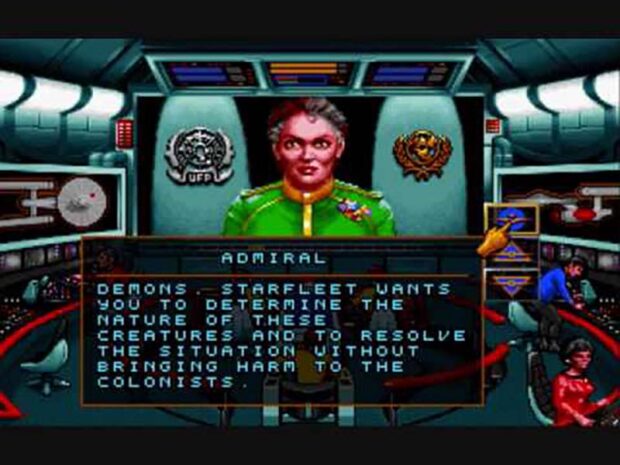
Stardate 6022.9: Starfleet Command sends a message to the USS Enterprise regarding strange occurrences on one of the Federation colonies. The colony, named Nikolasi, is located on Pollux V and is run by a religious group known as the Acolytes of the Stars. The colonists have reported being attacked by what they believe to be demons. The Enterprise is tasked with investigating the situation on the planet, as it falls within Federation territory.
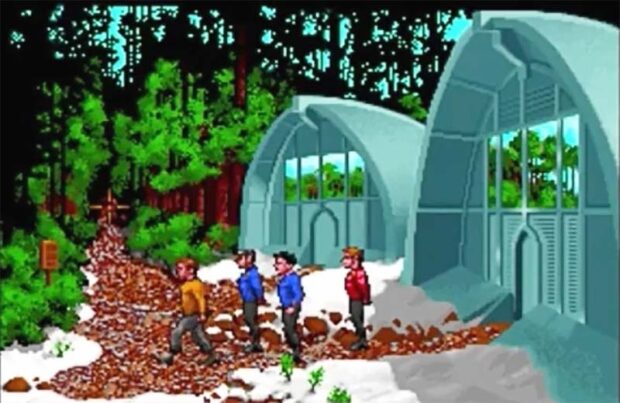
The mission offers a high degree of flexibility in terms of approach. Assisting the colonists is not mandatory and players have the choice of being either diplomatic or assertive in their interactions. Additionally, it’s possible to complete the mission without causing the death of a character named Everts.
Mission Glossary
- Pollux V – ice age planet
- Mount Idyll – mountain on Pollux
- High Prelate – President on Pollux Angiven
- Acolytes – the People of Pollux
- Tellarites – a violent race of people
- Krognik-Demon – a devil
- Siloti – a cat
- Kandrey – man trapped inside mountain
- Navian – alien on Pollux V
Mission Guide:
- After the training battle with the USS Republic, go to Navigation and select Pollux V as your destination. Refer to the map.
- Upon arriving, Orbit the planet.
- Beam down to the planet (tab, click on Kirk, select second option or press (K)irk, select second option). Make sure your shields are down.
- TALK to the man.
- Go north.
- USE your phaser (any one) to shoot the Klingons that pop up. They will only stun your players, so there’s not a whole lot to worry about.
- GET the hand of the Klingon that falls off.
- Go north.
- GET the berries at the right of the cave entrance.
- Go back to the ‘village’ (south, south). Enter the bottom building.
- USE Bones on the injured man.
- USE the berries on the man standing at the far left of the screen (not part of the OA party).
- Leave the building.
- Enter the top building.
- USE the berries on the same man as before.
- USE the berries on the Ardak-4 (machine at the upper-left).
- USE the hand on the man.
- USE the hand on the workbench (center of screen).
- USE the glass case (make sure you aren’t using something on the glass case).
- After you talk to the man, GET the twisted metal (far right) and the skull (far left).
- USE the computer.
- Leave the building.
- Enter the bottom building.
- USE the hypo-ditoxin on the injured man.
- Leave the building.
- Go north, north, north. (Best to save here.)
- USE the phaser on the rocks. You must shoot the very top rock that is a little left of the center of the screen first. After that, the order doesn’t matter. You just want to clear the doorway.
- USE Bones on the man.
- USE the hand on the panel.
- USE the panel just beneath the three colored spheres. Set the dials so that they are just a little below center, and only ONE colored mark from each column lights up. A booth should then pop up.
- USE key on creature.
MISSION #2: Hijacked
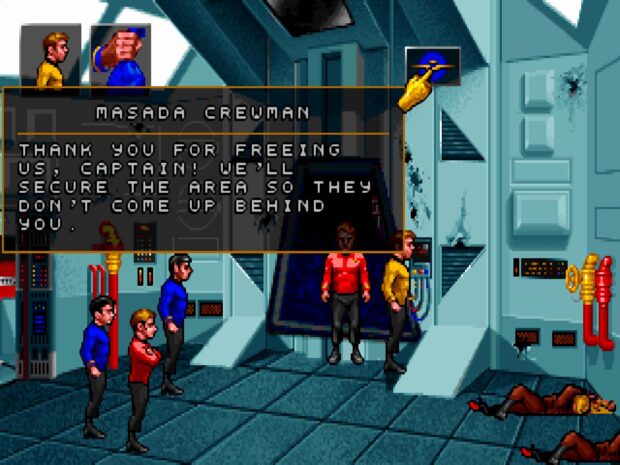
Stardate 6047.3: Starfleet Command orders the USS Enterprise to investigate the case of the missing USS Masada in the vicinity of the Beta Myamid system. The Enterprise discovers that the ship has been hijacked by an Elasi pirate named Cereth, who threatens to kill the crew unless the Federation releases a list of Elasi criminals who are currently imprisoned in various locations across the Federation.
Mission Glossary
- Beth Myamid – galaxy full of pirates
- Masada Code – 293391-197736-3829
- Elasi Cereth – Pirate
Mission Guide:
- Go to Navigation and select Beta Myamid.
- After the fight, Orbit the planet.
- Hail the ship (tab, click on Uhura, select the icon).
- Talk to Spock.
- Look up the entry for MASADA on the Computer.
- Make note of the input override code 293391-197736-3829.
- Hail the Masada.
- Select to send the input override code though (don’t hail the pirates).
- Beam over to the ship. Make sure your shields are down.
- USE Bones on man.
- GET item in locker (transmogrifier).
- Go east.
- GET items at bottom right hand corner of screen.
- USE phaser on welder (click on USE icon, click on your inventory, click on phaser, click on inventory again, click on welder).
- USE welder on scraps of metal.
- USE comb bit on transmogrifier.
- Go into brig (door on the right wall). Get ready with your phasers.
- USE stun or full. If you don’t want to deal with them again, use full.
- USE Spock on the wires underneath the panel to the brig.
- GET the wires.
- USE the panel.
- GET the bomb.
- There are different things you can do now. You can shut down the force field to the door using the welder on the force field. Or you can transport in. Let’s transport.
- Go west.
- Go south.
- You should be back in the transporter room now.
- USE the modified transmogrifier on the transporter controls.
- USE the long set of wires on the controls.
- USE the transporter pad. Once you have beamed over, immediately TALK to the captain of the pirates (center of the screen) and tell him to surrender.
MISSION #3: Love’s Labor Jeopardized
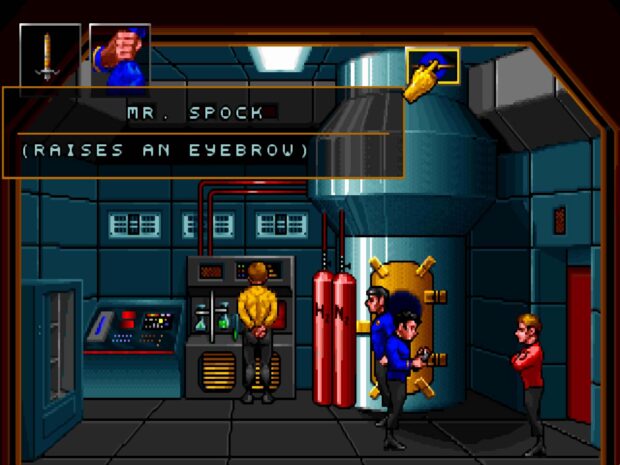
Stardate 6052.4: In the level “Love’s Labor Jeopardized”, the Enterprise receives a distress call from the planet Minara II, where a Federation colony is in danger of being destroyed by a massive volcanic eruption. Captain Kirk and his crew must beam down to the planet to help evacuate the colonists and prevent the eruption from occurring.
Mission Glossary
- 342-188564.3, ph3 – Class 3 Biohazard
- Oroborus Virus – an L-type virus with A typical growth patterns. Use Ammonia, NH3 to cure it
- TLTDH – a gas (Tantalum Bi-Lithium Thalo-Dihydroxide); laughing gas for R&V insulation
- Nitrous Oxide – (N20) aka laughing gas or an anesthetic for humans; orange
- Ammonia – (NH3); gray
- Di-Hydrogen Oxide – (H20) water; blue
Mission Guide:
- Go to Navigation and select Ark-7.
- After the fight, beam over to the Masada.
- Go west (red door).
- USE freezer unit.
- GET virus culture.
- Go north (center doors).
- GET wrench.
- USE red panel (right).
- USE wrench on vent.
- USE vent on engineering access panel (left of screen).
- GET insulation.
- Go south. USE insulation on distiller (it will make polyberylcarbonate).
- Go through top red doors.
- USE cabinet.
- GET antigrav unit.
- USE wrench to turn on gas feed (knob above tanks of gas).
- USE synthesizer.
- GET bottle of water.
- USE polyberylcarbonate on synthesizer (same spot where you got the bottle).
- USE synthesizer. GET TLTDH gas.
- Go east.
- Go north.
- USE wrench on N2 tank.
- USE antigrav unit on N2 tank.
- Go south.
- Go west (top red door).
- USE wrench on knobs (to turn off gas feed).
- USE antigrav unit to get O2 tank.
- USE N2 tank in the place where O2 tank was.
- USE wrench to turn on gas feed. USE synthesizer.
- GET bottle of ammonia.
- Go east.
- USE bottle of ammonia (grayish-blue) on nozzle.
- USE virus sample on chamber (same machine as ammonia is plugged into).
- USE Bones on machine.
- GET cure.
- Go west.
- USE cure on synthesizer.
- USE synthesizer.
- GET hypo.
- USE hypo on Spock.
- Go east.
- Go north.
- USE TLTDH gas on vent.
- Go south.
- USE stairs.
- USE hypo on Romulans.
- USE water on Romulans.
- Go north.
- USE humans (untie them).
- USE hypo on Romulan.
- Talk to Romulan.
MISSION #4: Another Fine Mess
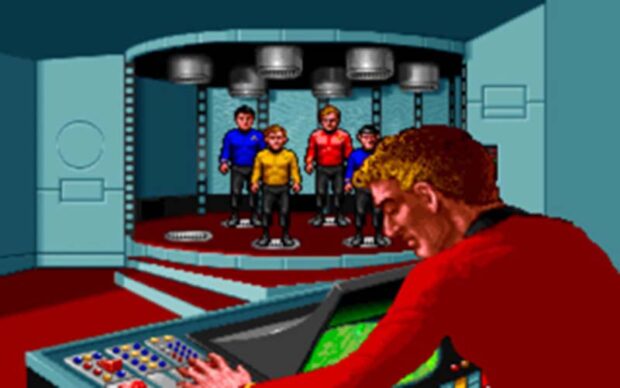
Stardate 6063.8: The USS Enterprise responds to a distress call from the Harlequin system, only to be ambushed by a pair of Elasi pirate ships. After successfully defending themselves, the Enterprise crew discovers that the sender of the distress call was none other than the infamous criminal Harry Mudd. He had stumbled upon an alien cargo ship and falsely claimed it as salvage, subsequently selling alien technology to the Elasi.
The Enterprise explores the alien ship and uncovers its secrets, but much of the information is lost as Mudd had erased the ship’s computer archives in his greed. They discover an ancient weapon system which can be adapted for use on the Enterprise.
The crew eventually leaves Harry, with Uhura revealing that she had informed Harry’s wife, Stella, of his whereabouts. This mission is considered as one of the least eventful in the game.
Mission Glossary
- Harlequin – Romulan star system
- Harry Mud – full name = Harcourt Fenton Mudd
Mission Guide:
- Go to Navigation and select Harlequin.
- After the fight, go to Navigation and select Harrapa.
- Beam over to the ship (make sure shields are down).
- GET the lens, degrimer, and dodecagon (small yellow sphere).
- USE the lens on the degrimer.
- Go north.
- To the left is a panel with triangles on it. USE Spock on the blue triangles.
- USE Spock on the purple triangle. There are two doors on the far wall. One to the right (clearly visible) and one to the left (look behind the standing row of power boosters).
- Go through the right door. You will enter a sick bay.
- Go north (don’t go back into the weapons room).
- USE the control panel.
- GET the repair tool (to the right of the right chair). Go down but make sure you click on the left section of the screen (you don’t want to go back to the sick bay yet).
- USE Spock on the big dodecagon in the middle of the room.
- USE the tricorder on the sphere.
- USE Spock on the sphere again.
- USE the small dodecagon (in your inventory) on the big one.
- Go north. USE the control panel (you will be able to access Communications and View Screen). Don’t beam over yet.
- USE Spock on the control panel (you will be able to access Sensors, Navigation and Engineering).
- Go south.
- USE Spock on Mudd.
- GET the vial (in the main monitoring station).
- USE the vial on the monitoring station.
- USE Bones on Mudd.
- Go north.
- USE the panel (communications) and tell Scotty to beam you over.
NERD NOTE: The mission “Another Fine Mess” has no possible casualties among the redshirt crew members. The only ways to fail the mission are to either lose the battle against the Elasi pirates at the beginning of the mission, or not fix a malfunctioning life support generator before the time runs out.
MISSION #5: The Feathered Serpent

Stardate 6097.3: The USS Enterprise receives word that a Klingon task force has violated the Neutral Zone in pursuit of a fugitive. The Enterprise moves to intercept the Klingon fleet in the Digifal system. The Klingons reveal that the fugitive is hiding on one of the planets in the system and allow Captain Kirk and his team to retrieve him.
However, upon arriving, the team is taken aback to discover that the fugitive claims to be the Aztec god Quetzalcoatl, on a mission to spread his message of peace and self-sacrifice on the nearby Klingon planet of Hrakkour. Quetzalcoatl becomes furious upon hearing Kirk’s depiction of the Aztecs as violent barbarians, and teleports Kirk and his team into a series of tests meant to prove their worth.
Mission Glossary
- Hrakkour – planet in the Klingon sector; governed by the Kenka Family
- Zamphor – in the Digifal system; trail of energy
- Taraz – Klingon Caption on the Nizra
- Nlict Kenka – rules Hrakkour, 2 sons, Capt K’ Lista also an avid fencer
- Quetzeeoatl – Aztec God wanted by the Klingons
Mission Guide:
- Go to Navigation and select Digifal.
- After talking to the Klingons, enter standard Orbit.
- Talk to Spock. Beam down.
- Talk to the man.
- You’ll be transported into a pit. GET the rocks.
- USE the rocks on the snake’s hole.
- GET the snake.
- USE the rocks on the vine that you can’t reach (twice).
- Go west.
- Go west. TALK to the man.
- USE the snake on the man.
- USE the rock on the man (twice). GET the sword.
- Go west.
- Go north.
- USE the sword on the plant at the base of the log.
- USE the plant on the creature.
- Move across the log (just click like crazy on the left side of the screen until you get it right). Go across the log and go west. USE the sword on the dilithium (red crystal in the center of the screen).
- Go west. You’ll talk with Quetz, then you’ll beam back to the ship.
- After this, the three Klingon ships will intercept you. Make sure NOT to offend them, because you don’t want a battle on your hands (unless you’re really really good).
- Quetz (and your OA team) will then go to a trial.
- After you beam down to the court, USE the symbol in the center of the screen. You’ll talk to Vlict. Intervene on his behalf for a warrior’s trial. You’ll then be put on the Test of Life. You’ll be beamed into a room.
- GET the wooden beam.
- USE your full phaser to melt some rock on the floor.
- USE the wood on the floor.
- USE the beam on the entity now.
- USE the tricorder on the panel.
- USE your communicator.
- USE Spock on the panel.
- Go west. GET three green gems.
- USE the three green gems on the stand to the left (put them in the sockets). A voice will speak.
- USE the light on the right of the screen. The entity will transport Vlict over. You will then teleport back.
MISSION #6: That Old Devil Moon
Starfleet sends the USS Enterprise to investigate strange signals coming from Scythe, a moon orbiting the planet Proxtrey. Proxtrey was once a thriving industrial planet, but following a devastating nuclear war centuries ago, it has become technologically backwards.
Captain Kirk and his landing party beam down to Scythe and find out it houses a missile base which was responsible for starting the previous nuclear war. The Proxtrey population, who have been rebuilding from the Iron Age, have now reached early 20th century technology again and are broadcasting wireless radio transmissions.
The computers on Scythe are detecting these transmissions and, without control transmission from superiors, it assumes that the enemy factions on the planet are still active, therefore preparing another nuclear attack on Proxtrey, which will probably wipe out the remaining population.
Mission Glossary
- Scythe – asteroid, 17th letter of Lucr alphabet is called “scytyhe”
- Sofs – place value in the community, math based on 4-100
- Lucrs – place value in the individual; system of math based on 3; 99 is a religious number to them
- proxtrey – planet ravaged by nuclear war; not very technologically advanced; populated by the Sofs
- Door COde – 10200 on Scythe
- Inner Door Code – 122
- Key Card – make dog shaped card out of rocks from the surface – use laser
Mission Guide:
- Go to Navigation and select Alpha Proxima.
- After arriving, enter standard orbit.
- Beam down.
- GET rock.
- Go to the door.
- USE Spock on panel.
- Enter 10200 for the code.
- Go to the next door.
- USE the computer on the left.
- USE Spock on the panel to the door.
- Enter 122 for the code.
- Go north.
- USE the tricorder on the panel.
- Go east.
- USE box.
- GET wires.
- USE Spock on controls to laser drill (not on the display screens).
- Select 100.
- USE tricorder on the controls.
- USE Spock on the controls.
- Select 100. USE the rocks on the impression that the drill made.
- USE Spock on the controls. Select 10.
- GET the key card. Go west.
- USE the key card on the panel. Go north.
- USE Spock on the computer to the left.
- USE Spock on the computer to the right.
- USE the wires on the computer.
- USE the computer to the left.
MISSION #7: Vengeance
Stardate 6088.5: For the final mission of the Star Trek 25th Anniversary Game , the USS Enterprise receives a distress call from the USS Republic. Upon arriving, the Enterprise discovers the Republic damaged and adrift in space with only two survivors, one of whom dies as Captain Kirk and the landing party beam aboard.
The remaining survivor is revealed to be Brittany Marata, a former Starfleet Academy classmate of Kirk, who is less severely injured. She claims that the Enterprise was the one that attacked the Republic, which Kirk refuses to believe, but Spock finds the claim to be verified by the Republic’s own computer logs.
Kirk and the landing party beam back with their survivor and go to the Republic’s last reported destination, the Federation planet Vardaine. The Enterprise is then intercepted by another Constitution-class starship, which also happens to be called the Enterprise!
Mission Glossary
- Enterprise # NCC-1701
- Ies Bredell – enemy capt
- Farragut – ship
- Contact Starfleet right away
- Patterson – Captain of the starship Republic
- Brittany Marata – in sickbay
Mission Guide:
- Once you get to the Republic, tell Uhura not to send the packet yet. You’ll beam over to the ship.
- USE Spock on the data banks.
- USE Spock on the captain’s log.
- Go south.
- USE Bones on the woman.
- TALK to the woman.
- USE the communicator and beam back.
- You’ll then go chasing a ship that is a replica of the Enterprise.
- Destroy her and the other ships.
Epilogue
The CD-ROM version of the Star Trek 25th Anniversary Game (eBay link) (eBay link) (eBay link) (eBay link)(eBay link) ($20+ via eBay) has a special tribute to Star Trek’s creator, Gene Rodenberry.
At the end of the game, after the USS Enterprise completes its last mission and receives an admiral’s review. Then a tribute message to Gene Roddenberry appears. William Shatner gives a short memorial to Roddenberry while the Star Trek theme song plays in the background.
NOTE: The Star Trek 25th Anniversary Game chronicles various missions of James T. Kirk and his crew of the USS Enterprise. Its 1993 sequel,(Amazon link) Star Trek: Judgment Rites, continues and concludes this two-game series, which together may be seen as the final two years of the USS Enterprise’s five-year mission.
Star Trek Game Cast
One of the best parts of Star Trek 25th Anniversary Game is that it features the voice talents of the original Star Trek TV series cast. Even though some of them were feuding at the time, they all came together and participated in this 25th anniversary game.
Starring
- William Shatner as Captain James T. Kirk
- Leonard Nimoy as Commander Spock
- DeForest Kelley as Dr. Leonard McCoy
- James Doohan as Montgomery Scott
- George Takei as Hikaru Sulu
- Walter Koenig as Ensign Pavel Chekov
- Nichelle Nichols as Lieutenant Nyota Uhura
Also featuring
- Catherine Battistone as Narrator
- Joyce Kurtz as Computer Voices
- Carol Sally Rainer as Federation Admiral
- Melodee M. Spevack as Computer Voice and Brittany Marata
- Robert Barron as Brother Stephen
- Steve Bulen – Elasi Cereth, Lieutenant Ferris, and Captain Patterson
- Eddie Frierson as Ensign Everts and Elasi Captain
- Clynell Jackson III as Vlict Kenka
- George Almond as Elasi Crewman #1 and Elasi Crewman #2
- Anthony de Longis as Federation Admiral
- Kerrigan Mahan as Lieutenant Stragey and Brother Chubb
- Dave Mallow as Ensign Kije
- Michael McConnohie as Lieutenant Christensen and Commander Taraz
- Darren Raleigh as Ensign Mosher
- Mike Reynolds as Alien Reptile and Les Bredell
- Michael Sorich as Ensign Bennie and Kallarax
- Doug Stone as Prelate Angiven and Tlaoxac
- Terrence Stone as Lt. Buchert, Andrea Preax, and Brother Roberts
- Bob Towers as Crewman #1, Bialbi, and Lights
- Jeff Winkless as Quetzelcoatl
- Tom Wyner as Harry Mudd and Cheever


Hi, I’m Zack Applegate. I’m a technology writer at MethodShop. Please check out my articles on a variety of topics, including artificial intelligence, music, movies, and silly tech stuff like funny Elon Musk jokes and rock bands with weird names. If you have article ideas, please connect with me on Facebook.












 CES Debuts: Popular Technologies That First Debuted At The Consumer Electronics Show

Leave a Reply